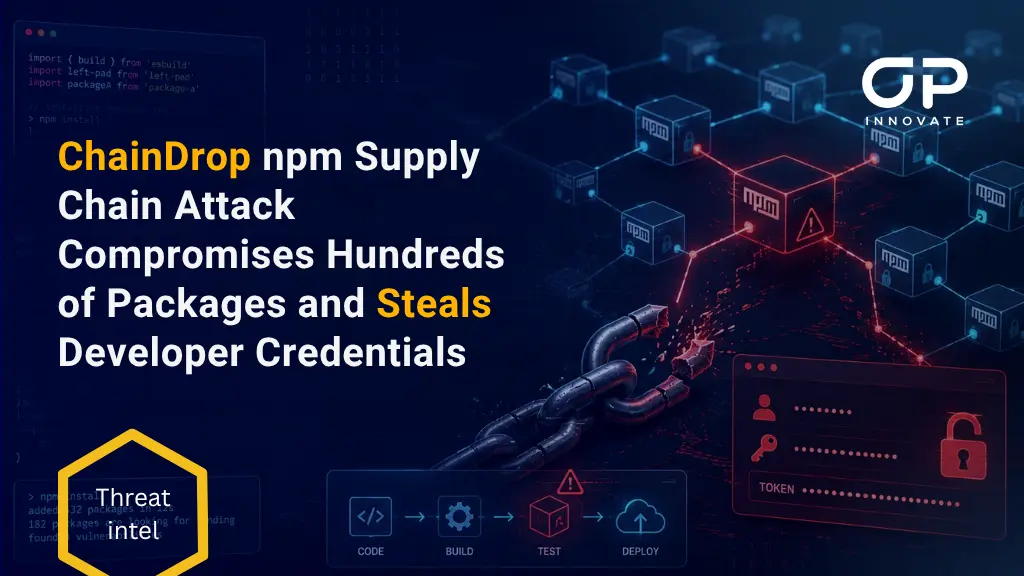
A rapidly spreading software supply chain attack known as ChainDrop has compromised hundreds of packages in the npm ecosystem, including widely used caching libraries with hundreds of millions of weekly downloads.
The attack began on August 4, 2026, after a threat actor gained access to the GitHub account of the maintainer behind the popular keyv package. The attacker inserted malicious code into legitimate repositories and triggered their existing GitHub Actions release workflows, allowing poisoned versions to be published to npm with valid provenance attestations.
Once installed, the malicious packages execute a credential-stealing payload that targets developer workstations and CI/CD runners. The malware searches for npm and GitHub tokens, cloud credentials, SSH keys, Kubernetes secrets, database credentials and other sensitive information. Stolen credentials are then used to compromise additional repositories and publish further malicious package versions.
Security researchers have attributed the activity to an evolved variant of the self-propagating Shai-Hulud npm worm and named the latest campaign ChainDrop.
How the ChainDrop Attack Began
Evidence indicates that the initial compromise involved stolen credentials belonging to the maintainer of keyv and several related caching libraries.
The attacker pushed malicious files directly into legitimate GitHub repositories before creating new releases through the projects’ normal publishing workflows. Initial high-profile malicious releases included:
- keyv version 6.0.0
- flat-cache version 6.1.24
- file-entry-cache version 11.1.6
- cacheable-request version 13.0.20
- cacheable version 2.5.1
- @cacheable/memory version 2.2.1
- cache-manager version 7.2.10
- @cacheable/node-cache version 3.1.2
- @cacheable/utils version 2.5.1
- ecto version 5.0.1
Several of these libraries are embedded deep within JavaScript dependency trees. For example, flat-cache and file-entry-cache are commonly associated with development tooling such as ESLint, meaning organisations may have installed an affected version as a transitive dependency without adding it directly to their applications.
The worm subsequently spread to packages associated with organisations including Deliveroo, Ornikar, OneReach, Picsart, Qlik and ServiceTitan.
Valid Provenance Did Not Mean the Packages Were Safe
One of the most significant aspects of the ChainDrop attack is that many malicious releases carried valid npm provenance information.
Rather than publishing packages manually with a stolen npm token, the attacker compromised the source repositories and used their legitimate GitHub Actions workflows. The resulting attestations accurately showed that the packages had been built from the expected repositories using authorised publishing workflows.
However, the source code used by those workflows had already been poisoned.
How the Malicious npm Packages Execute
Affected packages typically contain two additional JavaScript files:
- setup.mjs
- Math_Symbol.js or math_init.js
The attacker also modifies the package’s package.json file to include the following pre-installation lifecycle hook:
“preinstall”: “node setup.mjs”
As a result, running npm install against an affected package version automatically executes setup.mjs before the installation finishes.
The first-stage script downloads the legitimate Bun JavaScript runtime from its official GitHub release location. It then uses Bun to execute the heavily obfuscated second-stage payload, after which it attempts to remove the temporary runtime directory.
Using Bun allows the malware to execute outside the normal Node.js runtime and may reduce visibility from monitoring controls focused specifically on Node.js activity. Researchers observed temporary Bun files in directories matching /tmp/bun-dl-*/ and execution of Bun from within affected node_modules paths.
Credential Theft and Secret Collection
ChainDrop is designed primarily to compromise software development infrastructure and steal credentials that can expand the attack.
The malware collects the complete process environment and searches local files, shell histories and configuration directories for sensitive data. It also attempts to validate discovered credentials and use them to query connected services for additional secrets.
Targeted information includes:
- GitHub personal access tokens and workflow tokens
- npm publishing tokens
- GitHub Actions secrets and runner credentials
- AWS access keys and session credentials
- AWS Systems Manager Parameter Store values
- AWS Secrets Manager secrets
- Azure, Google Cloud, Alibaba Cloud and Tencent Cloud credentials
- Kubernetes configurations and secrets
- HashiCorp Vault tokens and KV secrets
- SSH keys and local credential files
- Database connection credentials
- Terraform, Argo CD, Harbor and Jenkins secrets
- Stripe, Slack and Twilio credentials
- Cryptocurrency wallets and keystores
- Credentials used by AI development tools, including Claude, Codex, Cursor, Gemini and OpenAI tooling
The payload does more than search files for token formats. Microsoft found that it attempts to authenticate with discovered credentials, determine token permissions, enumerate writable repositories and identify GitHub Actions workflows that could expose further secrets or provide package-publishing access.
Self-Propagation Through npm and GitHub
ChainDrop uses stolen credentials to spread into additional projects.
When the malware obtains an npm token, it validates the token against the npm registry and identifies packages the victim is authorised to publish. It can then download the latest package archives, inject its loader and second-stage payload, add a malicious lifecycle script and publish new compromised versions.
A single npm token may therefore allow the worm to poison every package maintained by the affected account.
The malware also supports a GitHub-based propagation route. It can enumerate repositories accessible through stolen GitHub credentials and inject malicious code into eligible branches. In environments using GitHub Actions trusted publishing, the malware may abuse the workflow’s OpenID Connect identity to release additional npm packages with valid provenance.
Persistence Through Developer Tools
Researchers also identified persistence mechanisms targeting commonly used developer environments.
The malware can modify files including:
- .claude/settings.json
- .claude/setup.mjs
- .vscode/tasks.json
- .vscode/setup.mjs
These modifications may cause the payload to execute again when a developer uses Claude-related tooling or opens a project in Visual Studio Code. As a result, simply removing the affected npm package may not eliminate the compromise.
Command-and-Control and Data Exfiltration
Before exfiltration, ChainDrop serialises the collected information, compresses it and encrypts it using AES-256-GCM. The randomly generated AES key is then encrypted with an attacker-controlled RSA public key.
The malware attempts to locate its active command-and-control domain dynamically through an Ethereum smart contract, a technique sometimes described as EtherHiding. This allows the attacker to change exfiltration infrastructure through a blockchain transaction without modifying and redistributing the malware itself.
At the time of researchers’ analysis, the contract returned:
- npm-cache[.]com
Earlier domains associated with the mechanism included:
- pypi-get[.]com
- js-mirror[.]com
If the primary exfiltration channel is unavailable, the malware can create a public GitHub repository and upload the encrypted results. Repositories used for this fallback mechanism have been observed with the description:
Shai-Hulud: Here We Go Again
Some fallback data is stored in files using names similar to results-<timestamp>-<counter>.json. Researchers also found that one fallback method encodes a stolen GitHub token using Base64 rather than protecting it with the payload’s normal encryption routine.
Indicators of Compromise
The following indicators have been associated with the ChainDrop campaign.
Domains and Network Indicators
- npm-cache[.]com
- pypi-get[.]com
- js-mirror[.]com
- eth-mainnet.nodereal[.]io
- go.getblock[.]io
- eth.llamarpc[.]com
Security teams should consider Ethereum RPC traffic in context. These services may have legitimate uses, but connections from unexpected CI/CD runners or build environments should be investigated.
File and Execution Indicators
- setup.mjs
- Math_Symbol.js
- math_init.js
- /tmp/bun-dl-*/
- node setup.mjs
- Bun execution originating from node_modules
- Unexpected Bun version 1.3.13 downloads during npm installation
- New or modified .claude and .vscode configuration files
- Unexpected preinstall entries added to npm packages
Selected SHA-256 Hashes
- Stage-two payload, Math_Symbol.js or math_init.js:
9fc2570b7cef51c1b8df116d144d11ff4096357be7d2c4c6367cfc2509cf1bcc
- Propagated setup.mjs loader:
fd3ca4007b225fdf8de7af4345a19179d5efa8c4bb9205f88cda806e5684b1eb
- Malicious .vscode/tasks.json:
927387d0cfac1118df4b383decc2ea6ba49c9d2f98b47098bcbcba1efc026e1f
- Malicious .claude/settings.json:
14eb4ce01dd4307759887ff819359b70d7d9ff709ecde039a5abc1aac325b128
- Injected GitHub workflow:
3f3f42d072bd36860ab7bd7fb5e10ac0d22c741c13c89505ccd6ec0ea572eea7
The malware has been re-obfuscated between infection waves, so hash-based detection alone may not identify every variant. Behavioural detection should focus on npm lifecycle hooks, unexpected Bun downloads, credential-file access, secret-store enumeration, repository modification and package publication activity.
Recommended Mitigation and Response
Identify and Contain Affected Systems
Review package manifests, lockfiles and dependency trees for compromised versions, including transitive dependencies. Immediately stop affected builds and isolate developer workstations, self-hosted runners and CI/CD systems that installed them.
Treat Every Installation as a Credential Compromise
If a malicious package’s pre-installation script executed, assume all credentials accessible from that environment may have been stolen. Removing or downgrading the package is not sufficient.
Rebuild Systems and Rotate Secrets
Reimage affected workstations and recreate build runners from trusted sources. From a clean device, revoke and replace npm and GitHub tokens, cloud credentials, SSH keys, CI/CD secrets, Kubernetes credentials and any other secrets available to the compromised system.
Investigate Repository and Cloud Activity
Review GitHub, npm, cloud and secret-management logs for unexpected commits, workflow changes, package releases, repository creation, secret access or unauthorised authentication. Also inspect .github, .vscode and .claude files for malicious modifications.
Strengthen Dependency and CI/CD Controls
Purge affected packages from caches, registries and build artifacts, then pin known-good versions. Use release-age policies, dependency allowlists, least-privilege CI/CD permissions, short-lived credentials and behavioural checks for unexpected lifecycle scripts rather than relying on provenance alone.
Stay Safe. Stay Secure.
OP Innovate Research Team