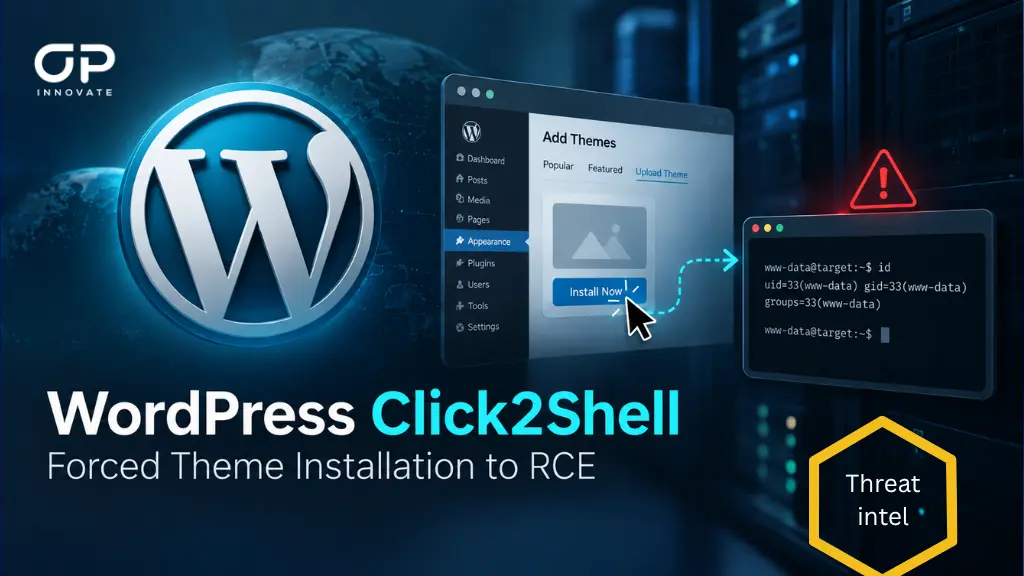
A newly disclosed WordPress vulnerability chain dubbed Click2Shell can allow an unauthenticated attacker to turn a single malicious link opened by a logged-in WordPress administrator into server-side PHP code execution.
The vulnerability was patched by WordPress on September 17, 2026, with the release of WordPress 7.1.1.
At the time of writing on September 22, Click2Shell has no assigned CVE identifier, and no exploitation in real-world attacks has been publicly confirmed. Full technical details and proof-of-concept code are nevertheless public, significantly lowering the barrier for attackers targeting unpatched WordPress installations.
Click2Shell Vulnerability Overview
| Attribute | Details |
| Vulnerability | Click2Shell |
| Product | WordPress Core |
| Attack type | Crafted URL / selector injection / forced theme installation |
| Authentication required by attacker | No |
| Victim interaction | Logged-in administrator must open the crafted link |
| Core impact | Unauthorized installation and preview of a WordPress.org theme |
| Full chained impact | Remote PHP code execution |
| Demonstrated secondary component | Mobile Repair Zone 2.5.4 |
| Researcher severity | High – CVSS 3.1 7.1 for forced installation; Critical – CVSS 3.1 9.3 for the demonstrated RCE chain |
| CVE | Not assigned as of September 22, 2026 |
| Patch | WordPress 7.1.1 and corresponding security releases for older supported branches |
| Public PoC | Yes |
| Active exploitation | No confirmed exploitation at time of writing |
How Click2Shell Works
The vulnerability originates in WordPress’s theme installation interface.
WordPress administrators can normally open a URL containing a theme slug to locate and preview a theme from WordPress.org. The problem was that the supplied value was interpreted differently by two separate components.
The WordPress.org Themes API canonicalized the supplied value into a valid theme slug. Browser-side JavaScript inside the WordPress administration panel, however, reused the original unsanitized value inside a jQuery selector.
This discrepancy allowed an attacker to inject selector syntax into the theme parameter. Instead of selecting only the intended theme card, the manipulated selector could reach the legitimate Install control associated with that theme.
WordPress’s own JavaScript would then trigger the button.
Because the victim was already authenticated as an administrator, their session provided both the authorization and nonce needed to install themes. The attacker therefore did not need to know or bypass either security mechanism.
An attacker could cause WordPress to download and install an attacker-selected theme from the official WordPress.org repository simply by convincing a logged-in administrator to open a specially constructed link.
Importantly, the installed theme remained inactive. The website continued using its existing theme, meaning there might be no obvious visual indication that anything had changed.
From Forced Theme Installation to Remote Code Execution
Installing an inactive theme is not equivalent to arbitrary code execution by itself.
The critical discovery was that inactive themes are not necessarily dormant.
When WordPress creates a theme preview through the Customizer, it can load the inactive theme’s functions.php. That allows the theme to register hooks and AJAX handlers even though another theme remains active on the website.
Researchers demonstrated the attack using Mobile Repair Zone version 2.5.4.
The theme exposed an authenticated AJAX handler designed to install and activate plugins. According to the researchers, the vulnerable handler lacked both an appropriate nonce check and a capability check before processing attacker-controlled plugin information.
Once the inactive theme had been installed through the Click2Shell Core vulnerability, the attacker could trigger a Customizer preview that loaded its PHP code.
The exposed AJAX handler could then be supplied with a URL pointing to a plugin package. WordPress would download the package, unpack it into the plugins directory, and load the specified PHP entry point.
This converted the forced-theme-installation primitive into server-side PHP execution under the WordPress web server account.
The complete attack flow can therefore be summarized as:
Malicious link → logged-in administrator opens link → selector injection → WordPress automatically installs legitimate catalog theme → Customizer loads inactive theme PHP → vulnerable AJAX installer becomes reachable → attacker-supplied plugin is downloaded → PHP executes on the server.
No WordPress account is required for the attacker.
The crucial prerequisite is that an administrator with permission to install themes must open the attacker’s crafted URL while authenticated. Ordinary Author or Editor accounts cannot complete the chain because they do not possess the required theme installation capabilities.
More Than One Theme May Be Relevant
Mobile Repair Zone 2.5.4 was the theme used to demonstrate the complete exploit chain, but the issue is not necessarily limited to that package.
Researchers reported finding more than 40 third-party WordPress themes with similar security weaknesses that could potentially expose PHP functionality before activation.
Mitigation
The most important action is to update WordPress Core immediately.
Administrators should verify the running version rather than assuming that automatic updates completed successfully. WordPress sites should run version 7.1.1 or a corresponding patched security release for their supported branch.
Organizations should also inventory both active and inactive themes and remove components that are unnecessary, abandoned, or cannot be maintained securely.
Reducing the number of accounts with Administrator privileges also limits the pool of users capable of triggering the attack.
Administrators should avoid opening untrusted links while authenticated to WordPress administrative sessions and should use separate browser profiles or hardened administration workstations where practical.
Environments that set DISALLOW_FILE_MODS prevent administrators from installing themes and plugins through the WordPress interface and can therefore interrupt the demonstrated forced-installation chain. This should be treated as additional hardening rather than a replacement for installing the security update.
Organizations exposing /wp-admin directly to the internet may additionally consider restricting administrative access through VPNs, IP allowlists, identity-aware proxies, or comparable access controls.
Stay Safe. Stay Secure
OP Innovate Research Team